403 Restricted Access Error
If you are receiving a restricted access warning, please follow these steps.
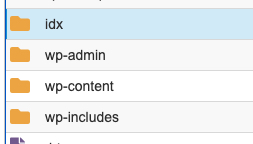
- Login to your hosting account and access the file, or login with FTP. Navigate to the root folder where WordPress is installed and go to /wp-content/plugins/brandco-idx/ folder. Find and copy the file called propertypress-ajax.local.php and place it in the NEW folder (where WordPress is installed, i.e. where you would find your wp-config.php file) called “fix” where WordPress is installed.
- In the root folder where WordPress is installed, find and edit the file called wp-config.php add this line: define(‘PROPERTYPRESS_IDX_AJAX’, ‘/idx/propertypress-ajax.local.php’);